This post is sponsored by Graphic Stock. As always, all opinions are 100% my own.
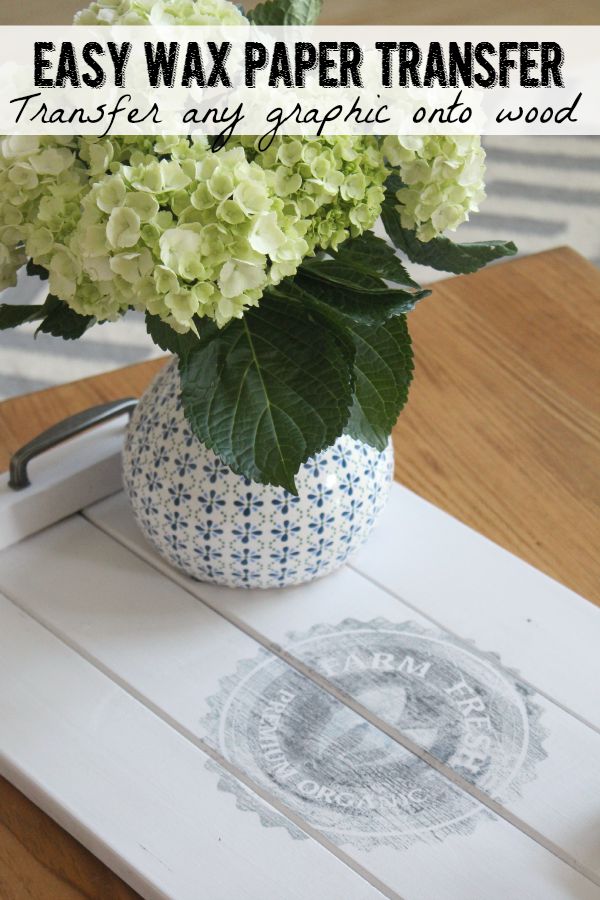
Hey guys! Today I wanted to show you how to transfer images using wax paper. It’s a fun and easy DIY project with limitless possibilities! With just a few steps you can quickly transfer any printable image to wood {or any other hard surface} using wax paper and your regular ink jet printer. Pretty cool, eh?
I promise that this is a super easy tutorial that anyone can do! The steps may look a little long, but they really only take a few minutes. Let’s get going!
- First you need to choose something to transfer an image too – any hard surface will work but I especially love doing this with more rustic wood pieces. Wooden crates or trays, old wooden cutting boards, or table tops work perfectly, but obviously you probably want to leave your favorite antiques alone!
-
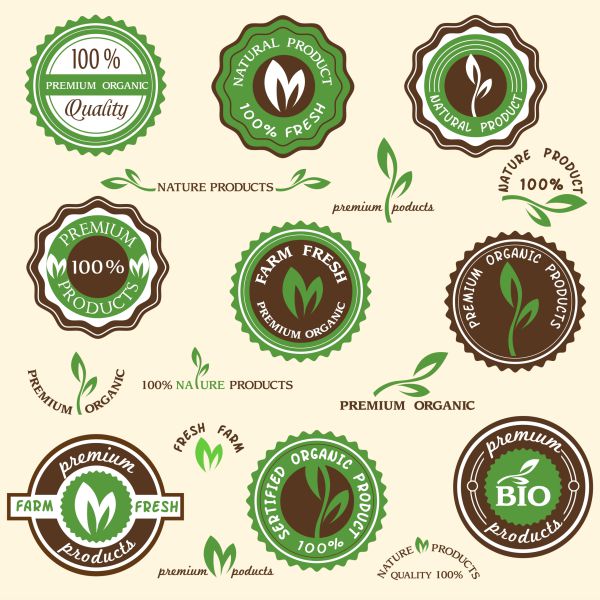
Next it is time to head on over to Graphic Stock and pick a graphic. With over 250,000 images to choose from this is seriously the hardest part of the project! Use the search bar on the top of the page to narrow down your choices and you will soon find a ton of beautiful images to choose from. Once you sign up for your free 7 day trial you can download up to 20 images per day – that is 140 free graphics of your choice! You can then choose to roll over onto a monthly unlimited plan or cancel your membership and still keep your images. Please note though that you will need to make sure to cancel if you do not wish to keep going with their monthly plan or you will be automatically billed. I have been a member since last October {without any sponsored affiliations} so I can honestly say that I love them and have used their graphics for many different types of projects.
- I wanted a farmhouse feel for this project, so I used a DIY wooden tray {tutorial coming soon!} and chose these cute organic food labels from Graphic Stock. You can choose to download the images as a JPEG, PNG, EPS or PDF. Since I only wanted to use one of the labels, I downloaded mine in JPEG format and cropped my image {I will show you how in PicMonkey but you can use any photo editing program}. If you have Adobe Illistrator, you can download the EPS file to choose your image.
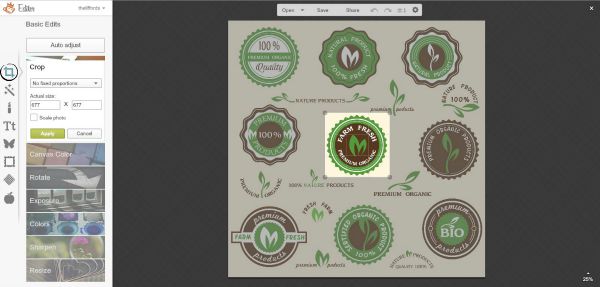
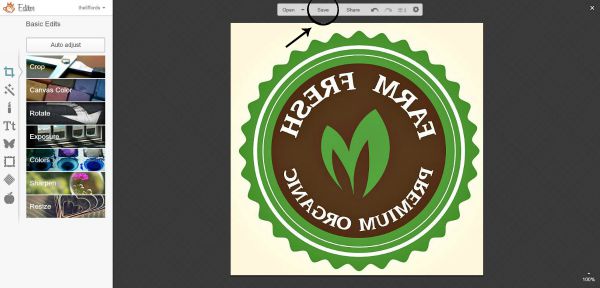
- For those of you that are using a JPEG, you will need to go to PicMonkey {or whatever photo editing program you are using}, click on edit, and open your saved JPEG file. You then need to click on the Basic Edits {square box} in the left side bar and choose crop. Drag the cursor over the image that you would like making sure that you are isolating it from the other images. Remember that you will be reducing the image size so you don’t want to go too small. If your image is slightly blurry, you can always click on Sharpen to increase the crispness a little.
-
For this project, you will need to print your image as a reverse image. To reverse your image, click on Rotate over on the left side bar and then click on the two horizontal arrows.
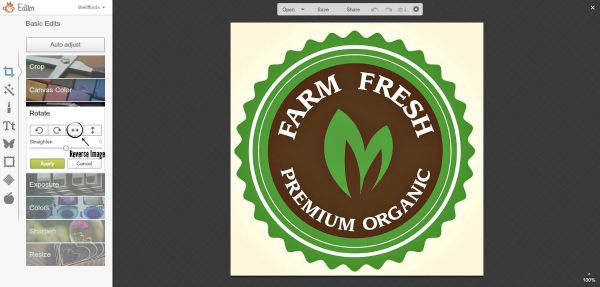
- Once you have the reverse image, just click Save {just above the image} and you are ready to get going with your project!
- Cut some wax paper to 8 1/2 x 11 and use a little tape on each end to adhere it to a regular 8 1/2 x 11 sheet of paper {this will help to prevent the wax paper from jamming your printer}. I choose to print mine in black and white rather than color and did have to unclick the “fit paper to size” button since I was using a square image. To print, just load the layered wax paper directly into the printer {for our printer the wax paper was placed face down} and gently guide the paper out as the image prints.
-
To help the image transfer better to the wood, you want the wood slightly wet. If it is too wet it will cause the image to run so don’t go crazy with your water. To get just the right amount of moisture, I misted gently with a spray bottle and then lightly ran a rag over the wood so the mist was distributed evenly.
-
Place the wax paper over the stool and use a credit card or other flat edge to burnish the image on. The most important thing is to make sure that the paper does not move, but I found that with the wood slightly wet, the paper actually stuck quite nicely. Be sure to go over the entire image using equal pressure and then carefully remove the wax paper.
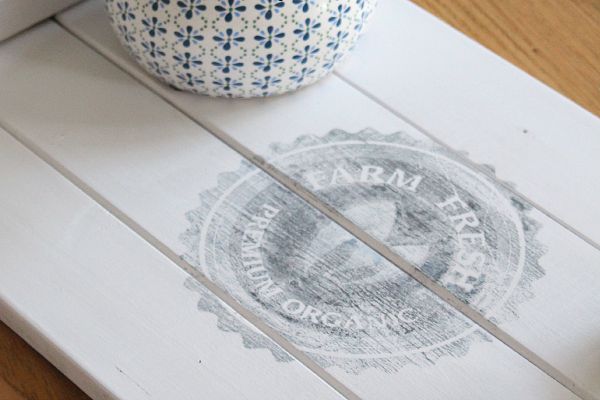
- Once the ink has dried, you can give it a light sanding if you want a more rustic feel or paint or fill in with a sharpie if you wanted a more solid look. If your project needs to withstand some heavier wear and tear, be sure to seal it. A spray sealer {I like Krylon} works best as waxing or a liquid sealer can cause some running of the ink. Spray in light coats and don’t spray too close to the image transfer.
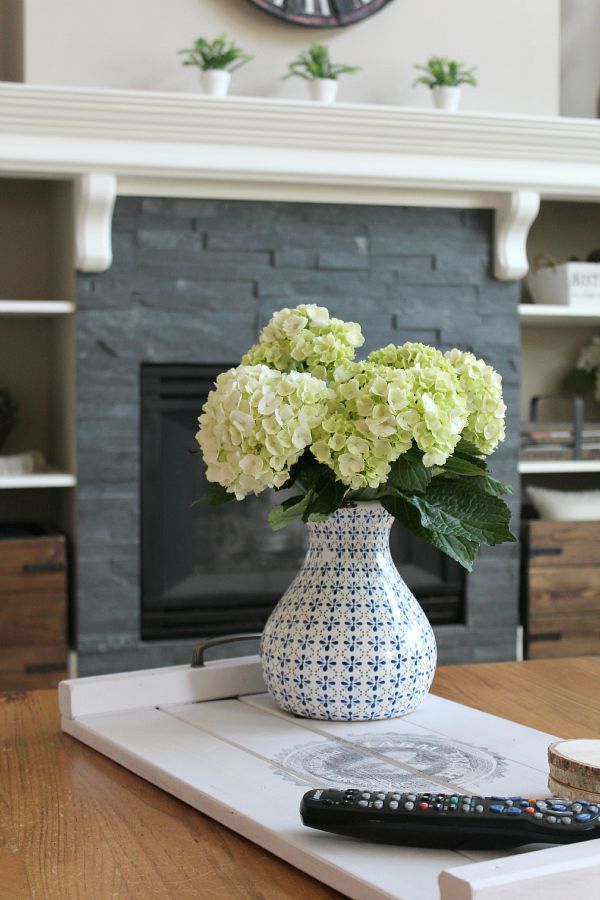 The tray works great on a coffee table or to hold magazines and is perfect for entertaining.
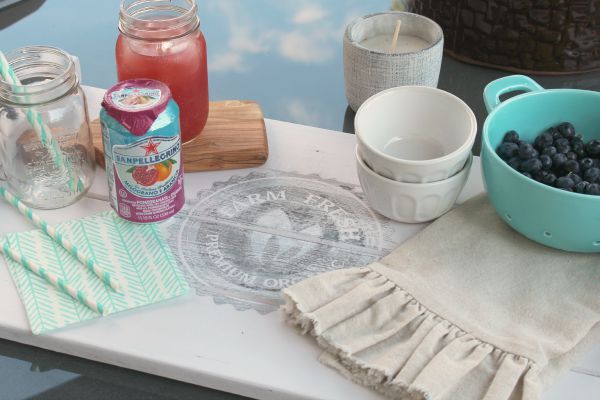
This technique is such an inexpensive way to transform your basic pieces or thrift store finds and makes a beautiful gifts for family and friends! I hope you have fun with it!
To get some amazing graphics, don’t forget to head on over to Graphic Stock for your free 7 day trial. The images can be used for crafts, home decor projects, labels, scrapbooking, gift wrapping, and so much more! Here are just a few more of my many favorites…
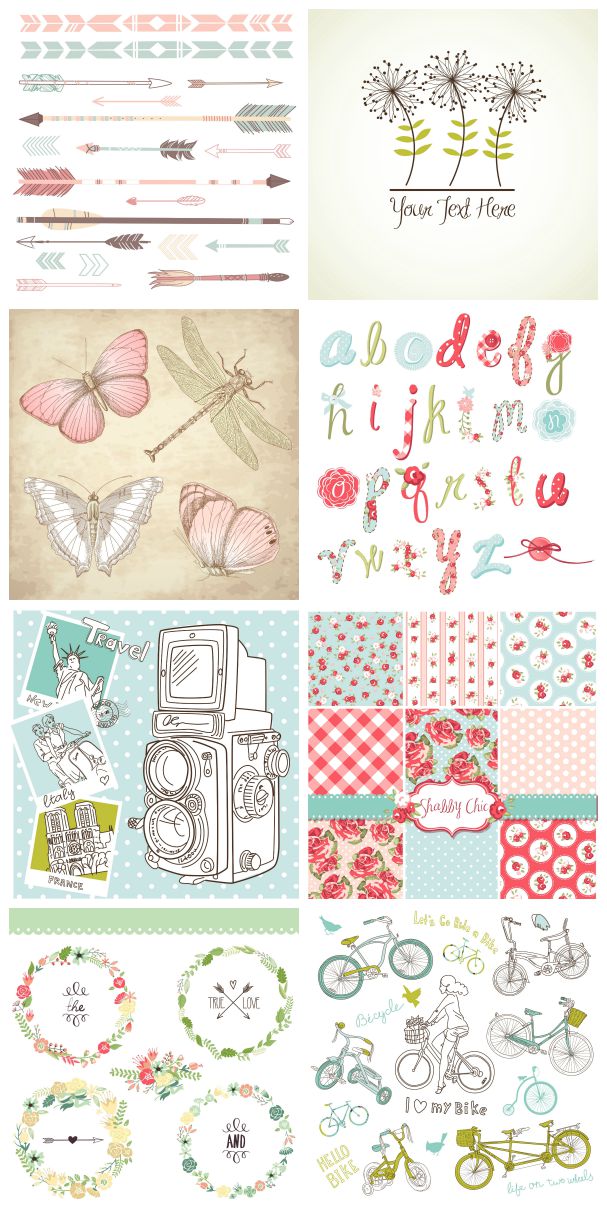
The images are all royalty free so you are able to keep them and use them forever!

Wanted so badly to look at images but not start my 7 day trial yet. Going to go back to 8.1 computer and HP Envy printer (I hope so anyway) and download windows 10 then work on some projects. So antsy to start transferring images to items. Can hardly wait to make good use of your excellent tutorial.
I am quite digitally challenged so might have to ask you questions like how to access my image while I”m in that program you talked about. (Can’t think of name of it right now. One of lovely side effects of getting old, names of things escape me even after just reading words. grumble,grumble.). Thanks so much for wonderful tutorial. Maybe I’ll finally learn how to use new computer better and transfer images.
I got so frustrated trying to figure out how to use 8.1 had to put it away for while, (all summer), and go back to computer I knew how to use. Our computer lady told me to download windows 10 right away (on 8.1) which would be much better for me. Oh dear heaven I sure hope so., lol
Have great weekend
Thank you so much for this tutorial & all the info & links – Awesome!!
Glad you liked it!
Thanks for sharing this, I’m just about to start a project were I want to transfer images on to wood this tutorial is perfect.
Hope you have fun with your project!
What an AWESOME tutorial! I love this idea, and your tray is just too cute. Pinning, and definitely going to find a way to use this!
Thanks so much! Hope you find something fun to do with it! 🙂
That is super cool Jen! I didn’t know you could do that with wax paper!
Yep! Easy peasy! 🙂
Thanks for the tutorial, I forgot about the image website, thanks for the reminder.
Thanks for sharing on Friday Features this week, stop by for Wordless Wednesday as well.
Have a great weekend!
Karren
Thanks Karen! It’s a great website. 🙂 Hope you have a wonderful weekend too and thanks for hosting!
Great tutorial! I’m always looking for a way to transfer images easily and effectively. Definitely pinning this. Visiting from Bouquet of Talent.
Hope you get to try it! 🙂
i CANT WAIT TO TRY THIS. lOOKS SO SIMPLE BUT ELEGANT.
So many possibilities! 🙂
Would this process work with a laser printer?
No – you need to use an ink jet for this particular technique. 🙂
Will this idea work with a front paper load printer? All the tutorials I have seen are back paper feeds. I have a Brother
ink jet printer. The paper is put in the front slide out trey. Would I put a cut to fit piece of wax paper in the trey taped to a regular piece of paper or just on its own?
As long as it is an ink jet printer, it will work. I cut the wax paper down to the same size as an 8.5 x 11 sheet of paper and then place it over top as I run it through the printer. If it’s moving, you could just tack down the edges. Hope that helps!
It looks like you transferred the image onto painted wood. That was my question, if it works on painted surfaces?
Yep! Just make sure the paint is completely dry. 🙂
I appreciate the tutorial. Can this be done on a canvas panel? If so, how? TIA
I haven’t tried it but I don’t see why it wouldn’t work. Let me know if you try it!